A clock you can play
In the source build, each game opens on an animated clock. Press M5 to play, tap left to switch. Leave it on USB power at your desk or monitor.
New clock homes await device testingClock home guideA tiny project by Ryan Grams
A few buttons. A little tilt. Some of our favorite games, ported to a screen that fits in your palm.
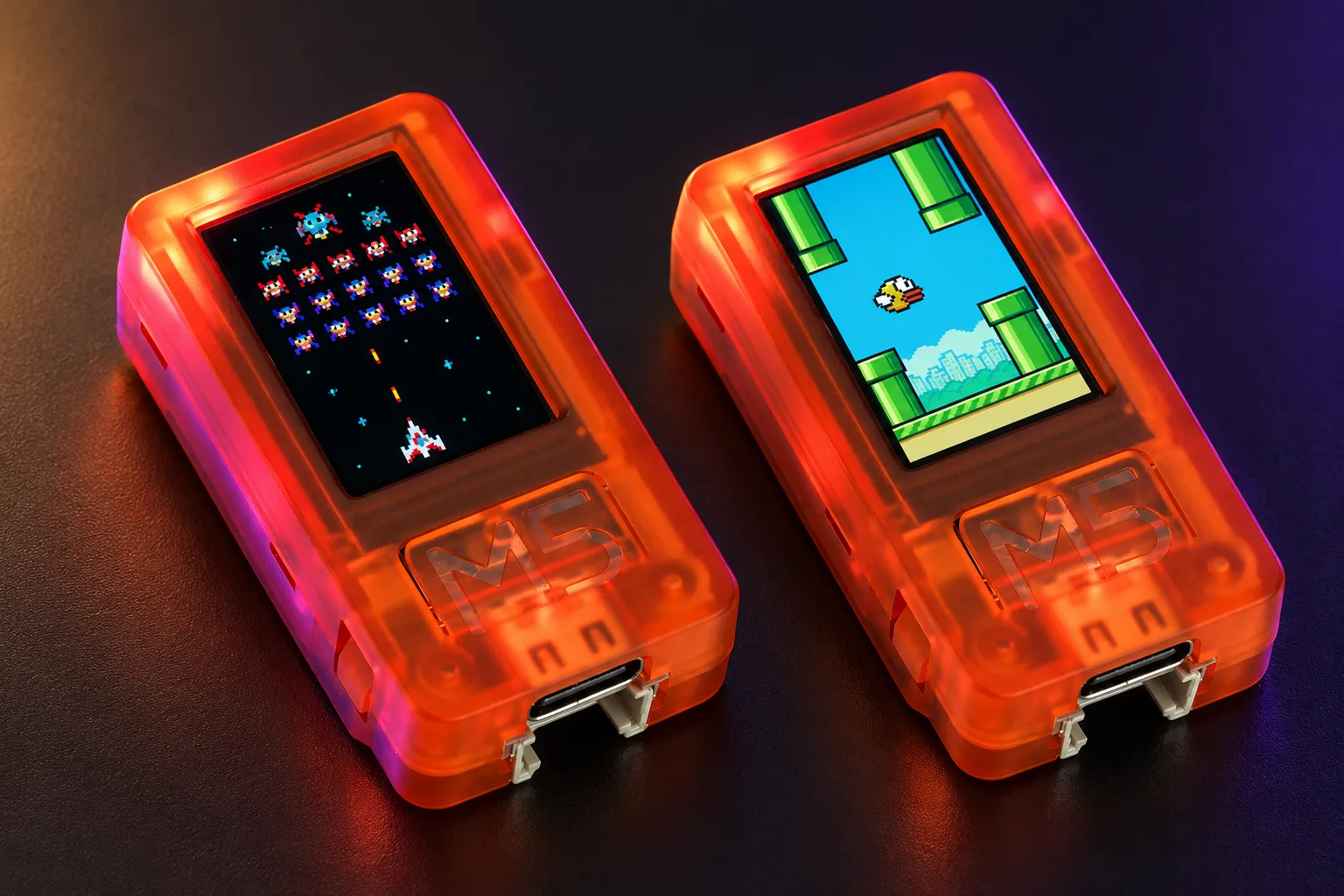
Illustrative Galaga and Flappy Bird screens in Plus SE shells. Public starter art differs. SE hardware testing is pending.
USB loader preview. Flashing is not available yet.
Small hardware, plenty to do
I’ve been porting some of our favorite games to a tiny screen, then figuring out how much fun we can squeeze out of tilt, a few buttons and an itty-bitty controller.
In the source build, each game opens on an animated clock. Press M5 to play, tap left to switch. Leave it on USB power at your desk or monitor.
New clock homes await device testingClock home guideTiny screens and a few buttons are the point. Tilt controls work on motion-sensor models. The Plus SE has no tilt sensor.
Model dependentI wanted a physical controller, too. It had to stay small, so I went with the IINE Gamebrick Mini. H mode is tested on the original Plus.
Optional controllerLinked Flappy and Tetris modes are experimental. More two-player and co-op games are planned. Full two-device playtests are still ahead.
Two-player coming soonI’m working on printable controller mounts and a desk dock with room to route a cable. STL downloads will appear when they’re ready.
STLs in developmentFork a game, add a clock face or build something weird. The firmware, skills and game-making guides live together on GitHub.
Built in the openThe current game list
These games and adapters are in the firmware source. Testing and release work continue. Public firmware downloads are still disabled.
Tap to flap. The public build uses project-made starter art. Clock mode and experimental linked play are in the source.
Front button or controller A
Our tiny-screen adaptation uses project code and artwork. Physical play-testing is still pending.
Tilt to move, button to fire
A native brick-breaking adaptation with project-made artwork. Release testing is in progress.
Tilt the paddle; M5 launches / fires
A jetpack runner with project-made art. No extra game files. Release review is still in progress.
Hold M5 to climb; release to fall
Compatible NTSC NES cartridges, including a Mario clock mode. Bring the supported file and the rights to use it.
Buttons or controller · File guide
Supported cartridge adapters, with experimental two-device linking. Files must match the preparation guide.
Buttons or controller · File guide
Uses a supported, prepared Famidash payload. The guide explains the required format and limitations.
Prepared cartridge adapter · File guide
File-based adapters need a compatible, lawfully obtained file and permission to use and adapt it. The loader guide explains each supported format.
Tilt to steer. Tap to jump an obstacle. I want racing that feels good while the whole console is moving in your hand.
In developmentA character runs back and forth. You get one job: jump at the right moment. Small screen, very little room to blame the controls.
In development
Asymmetric air hockey: easy for one player, ridiculously hard for the other. I’m working on a Bitty version of my original game, with an iPhone App Store release planned too.
Bitty version in developmentOriginal title artwork, not Bitty gameplay.One place to load your stick
The plan is to install from your browser, with no desktop app or account. The GitHub loader handles setup and supported game files.
The loader is public. Firmware downloads and flashing are disabled while USB loading and recovery are verified.
Load Bitty ryangrams.github.io/bittyOnce flashing is enabled
Open the link on a computer in Chrome or Edge. The loader checks for Web Serial support.
Use a USB cable that carries data. Pick the exact device model and its serial port.
When the release is enabled, follow the loader’s install steps. Compatible game files can be added there too.
Installation needs a supported desktop browser with Web Serial over HTTPS. Phones and tablets are not supported. Use a data cable, since a charge-only cable cannot flash the device.
A USB serial driver may be needed for your board and operating system. The loader’s compatibility check and device instructions will guide you. Bitty’s complete browser and OS test matrix is still pending.
Read the setup guideLoading and participation never require a star, payment or Discord membership.
Pick the exact model
$30 to $40
My target budget for the stick. Check current store prices. Controller and adapters are extra.
| Device | Bitty status | Tilt sensor | Sound hardware |
|---|---|---|---|
| Original M5StickC Plus 135 × 240 screen | Tested in firmware | Yes | Passive buzzer |
| StickC-Plus SE 135 × 240 screen | Testing pending | None | Passive buzzer |
| M5StickS3 135 × 240 screen | Build compiles; testing pending | Yes | Speaker |
Sound hardware is listed above. Audible Bitty output depends on the game and build, and S3 playback still needs a physical check. The SE has no onboard tilt sensor. Other M5Stick variants need separate ports and testing.
Original M5StickC Plus. The original orange stick I’ve tested. New browser installation still needs verification. M5Stack lists this model as end of life.
StickC-Plus SE. A planned member of the lineup. Its own Bitty target and physical checks are still needed.
M5StickS3. A separate S3 build compiles. Sound, controls, Bluetooth and timing still need checks on the device.
IINE Gamebrick Mini (Grey). The controller I’ve tested pairs in H mode with its yellow indicator. Pairing, reconnecting, directions, rotation and running jumps have been checked on the original Plus. Other modes and controllers still need testing. Controller and linked-device modes currently share Bluetooth, so switching modes disconnects the other one.
Purchasing through my paid links is a great way to support this side project. I earn a commission from qualifying purchases. Check the testing status above before buying a stick for Bitty.
As an Amazon Associate I earn from qualifying purchases.
My optional tiny controller. Grey model, H mode, yellow indicator.
See on Amazon Paid linkCableCC UC-070-TC006 has male A and C ends. The maker lists data and power support. Stick fit and dock mounting are untested.
See the adapter candidateMake something tiny
Build an original game, port your own work or add a clock face that makes you laugh. Code, testing, device ports, documentation and design all help.
Use the skills with Codex, Claude Code or your preferred coding agent. Start with the agent quickstart.
Project-made games follow their published licenses. For a game marked “Your game file,” you must own a legitimate copy and have the rights required to use and adapt the files you load. Bitty does not supply commercial ROMs, APKs, or commercial games’ original art or music.
Bitty is an independent project. Third-party game names, including Mario, Tetris, Galaga, Arkanoid, Flappy Bird, Geometry Dash and Jetpack Joyride, identify the games being discussed. Their names and trademarks belong to their respective owners. No affiliation or endorsement is claimed.
Owning a copy does not automatically grant adaptation or redistribution rights. A checkbox cannot grant those rights. Use a rightsholder’s authorized source or files you already have permission to use. A listing or search result on Archive.org does not establish that permission.
A new title alone does not resolve rights to copied code, art, music or other protected material. A native prototype still needs a license and asset review before public distribution. Community links will be reviewed for clear licensing, and creators host their own files.
U.S. Copyright Office guidance